 SciGalaxy Tutorial
Thesaurus
Merge variant labels, drop noise, and exchange files with a CiteSpace thesaurus.
One thing is often written more than one way. deep learning and deep-learning, a full institution name and its abbreviation, two spellings of an author: each becomes its own node. The thesaurus folds them into one label before the next run, or drops a label you do not want in the network.
An edit does not redraw the map you are looking at. It takes effect the next time you run the analysis.
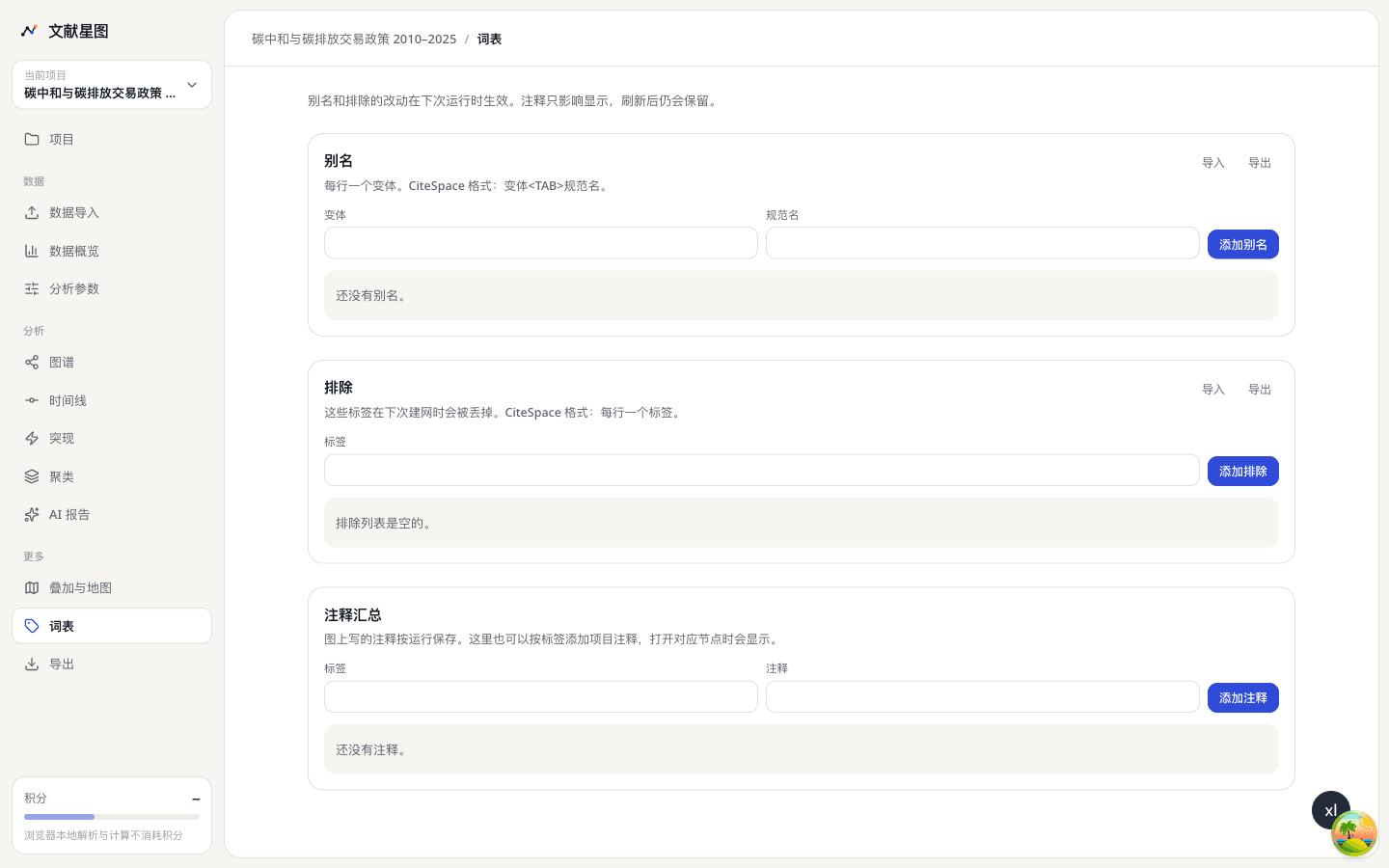
Aliases merge nodes
Each row is a variant and the canonical name it should become. When the network is counted, the variant's frequency is added to the canonical name.
Add the row on the thesaurus page, or start from a node. Open the node, choose Merge into… to fold it into another node, or Set as alias and type the canonical name. The page confirms that the thesaurus was updated. Choose Rerun now to see the merged node on the map.
A CiteSpace alias file is a variant, a tab, and the canonical name, one pair per line:
deep learning	deep-learning
D L	deep learning
SciGalaxy imports and exports that format. A chain of aliases is flattened to the final canonical name. If A points at B and B points back at A, that is a cycle. Cyclic rows are not merged on the next run, and the page says so. Break the cycle, then run again.
Exclusions
A label on the exclusion list is dropped the next time a network is built. It never becomes a node. Use it for words that carry no theme, such as review, human, or study, or for an institution name that is clearly noise.
A CiteSpace exclusion file is one label per line. Import and export use that format.
Selecting a node and choosing Add to exclusions does the same thing as a row on the thesaurus page. It also waits for the next run.
An exclusion is not the same as hiding a node. Hiding only changes what the current map draws. An exclusion removes the label from the next count, so both the node and its links change.
Notes
Notes change the display only. They do not change the network. A note written on a node is stored with that run. You can also add a project note by label on the thesaurus page, and it shows when that node is open. Notes remain after a refresh.
Aliases and exclusions from a CiteSpace project folder arrive with the import. See Import your records. The same rules apply to the alias and exclusion boxes on the advanced parameters page.